
Theme Options Panel / Customizer Options
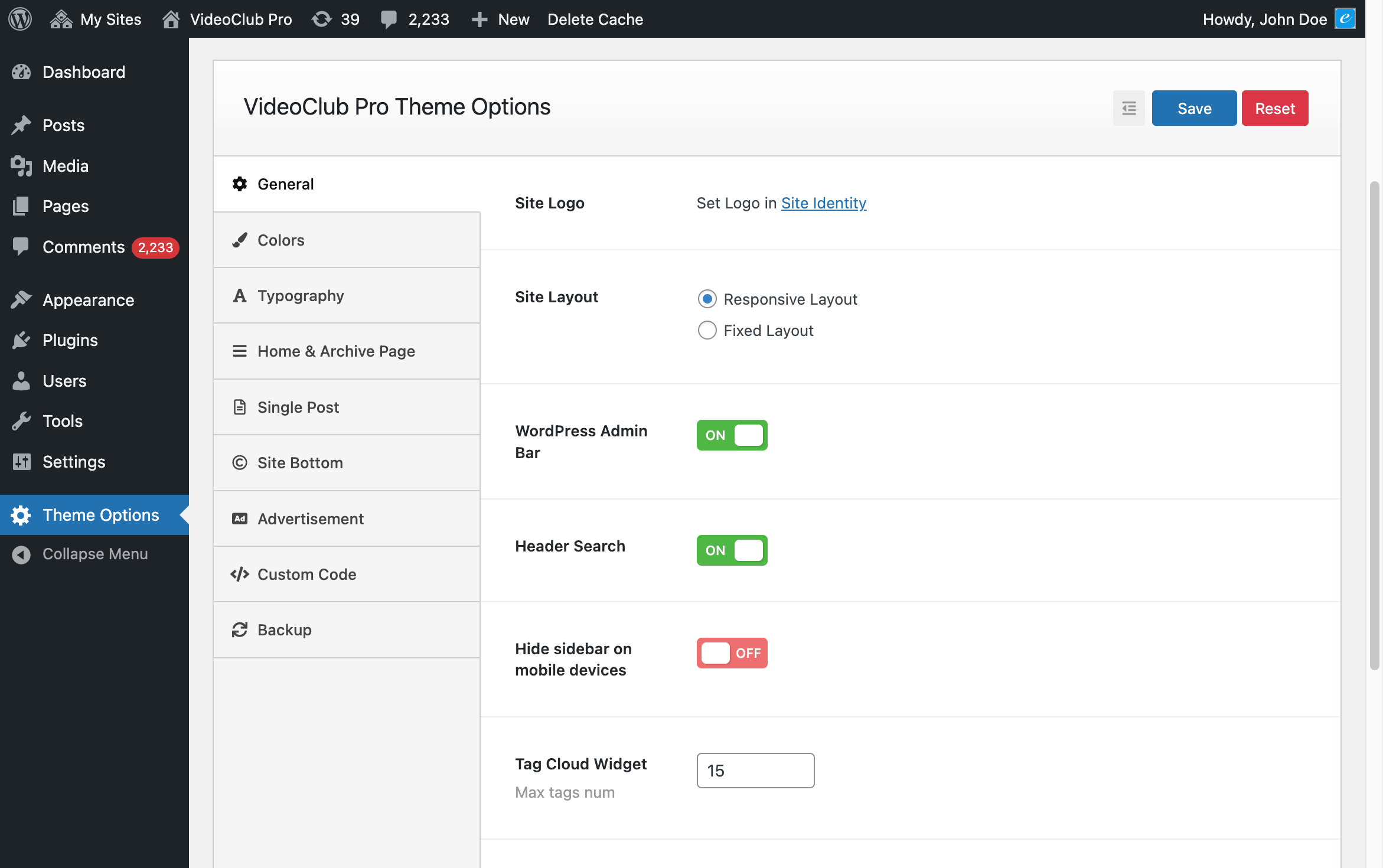
In your WordPress admin panel, go to Theme Options, you will see a lot of options to configure the theme.
How to Publish a Video
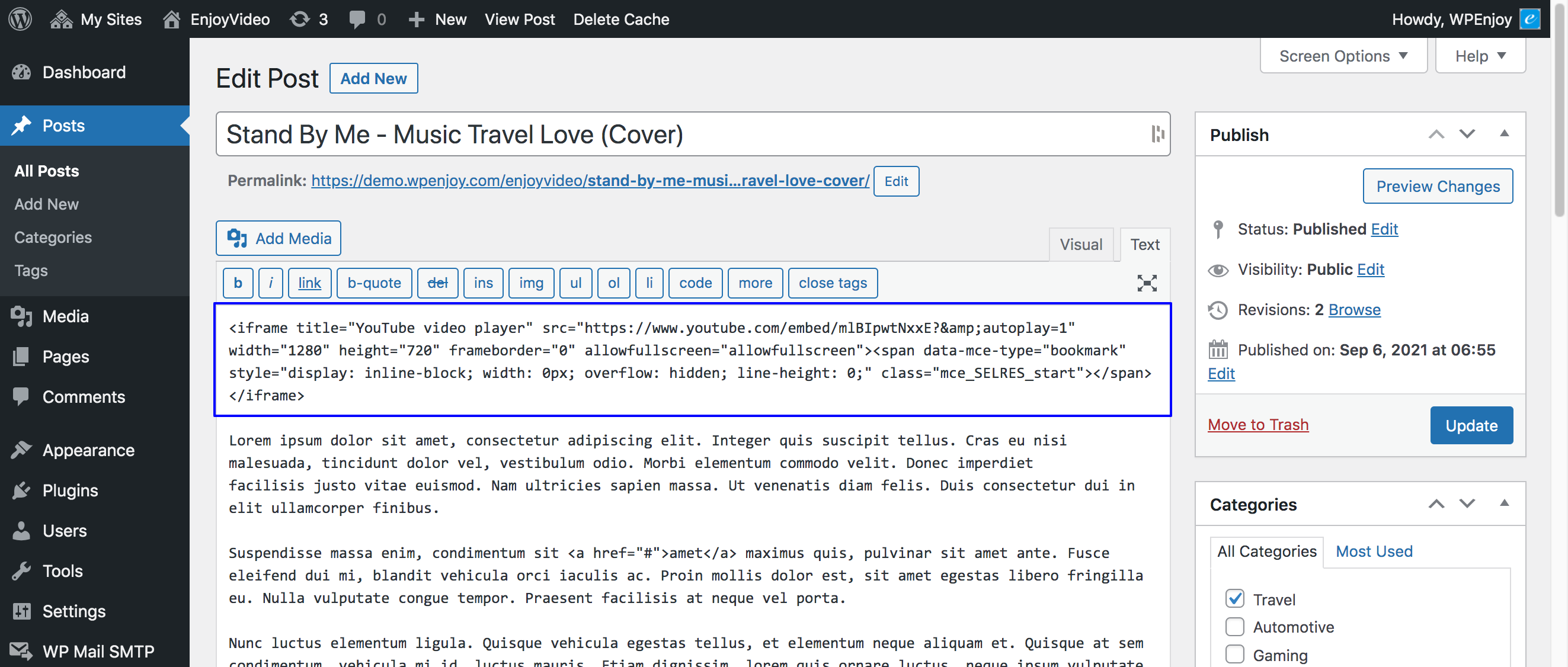
To publish a video on your site is easy, you just need to add the video embed code/URL in the post content, just like:
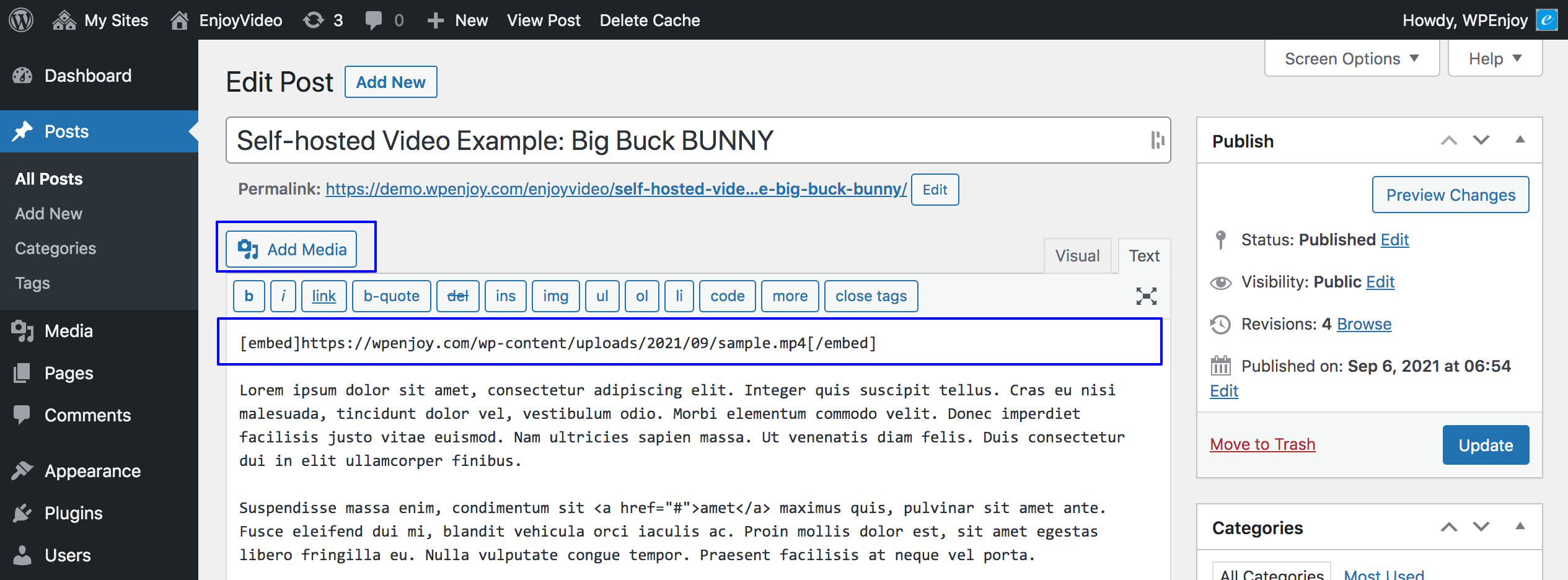
or:
1. Site Header
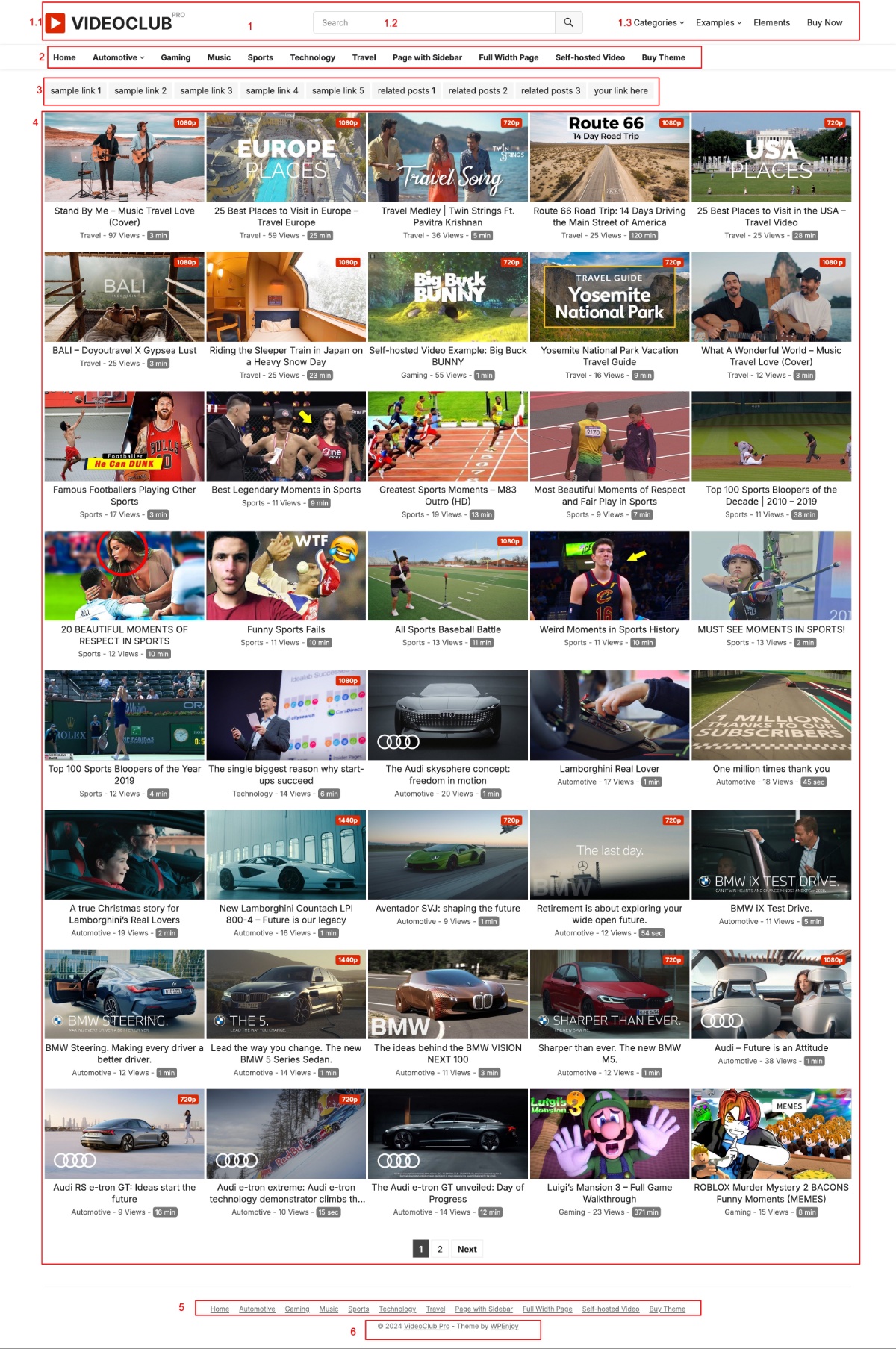
1.1 Site Title / Logo: Go to WP Dashboard -> Appearance -> Customize -> Site Identity, set Logo or Site Title/Tagline for your site.
1.2 Header Search: Go to WP Dashboard -> Theme Options -> General, you can enable/disable Header Search.
1.3 Top Menu: Go to WP Dashboard -> Appearance -> Menus, add menu for location: Top Menu.
2. Primary Menu: Go to WP Dashboard -> Appearance -> Menus, add menu for location: Primary Menu.
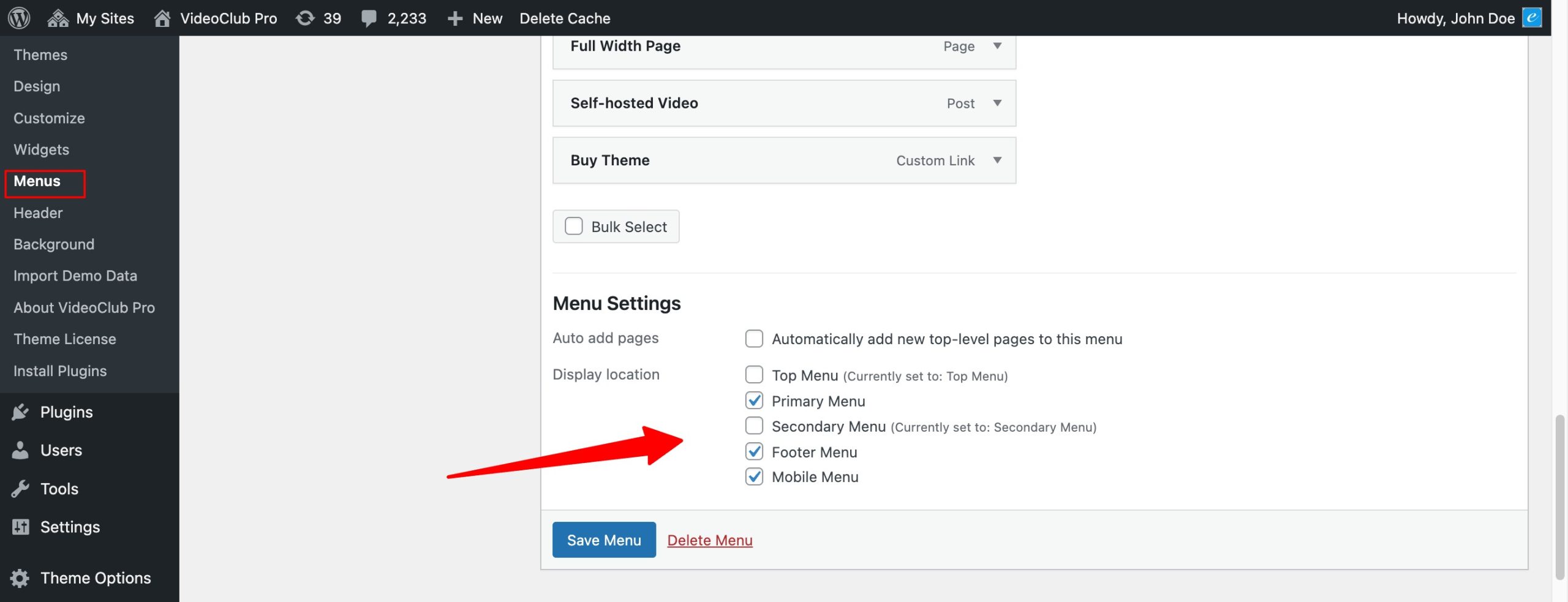
3. Secondary Menu: Go to WP Dashboard -> Appearance -> Menus, add menu for location: Secondary Menu.
4. Latest Posts
* To display recent posts, just go to WP Dashboard -> Posts, add new posts.
5. Footer Menu: Go to WP Dashboard -> Appearance -> Menus, add menu for location: Footer Menu.
6. Copyright Info: Go to WP Dashboard -> Theme Options -> Site Bottom, change your Copyright Info.
Sidebar Widgets:
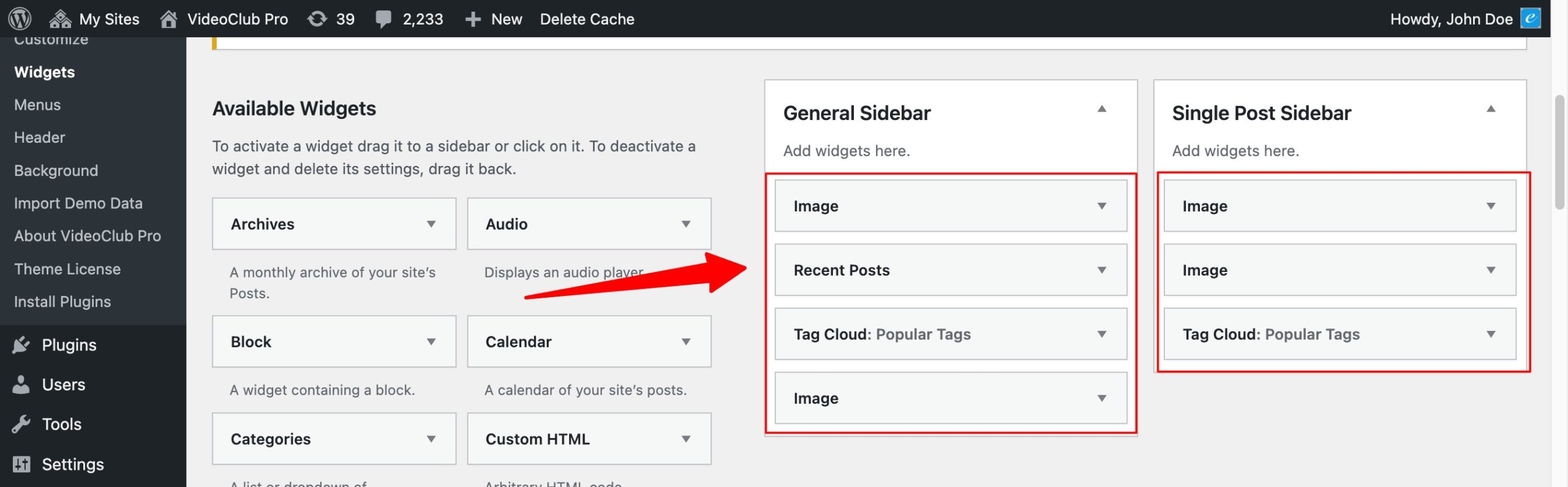
Go to WP Dashboard -> Appearance -> Widgets, add widgets to General Sidebar or Single Post Sidebar.
Note: To display post/video views, you need to install the Post Views Counter plugin: